

Animoto Review

Animoto Review 2026

Animoto Review 2026: Is It the Best Video Maker for You?

Quick answer: Animoto is a browser-based video maker for slideshows, social media clips and simple marketing videos. You add photos, clips and text to a template and Animoto builds the video for you. The free plan is unlimited but exports in 720p with an Animoto watermark. Basic removes the watermark and adds 1080p; Professional adds 4K, your own branding, voice-over and Getty Images stock. Annual billing saves up to 50%. Animoto is one of nine tools in our video and motion graphics reviews.

Best forSmall businesses, teachers, real estate agents and social media managers who want quick, good-looking videos without editing skills
Not forEditors who need timelines, effects and full control (use Premiere Pro, Final Cut Pro or DaVinci Resolve)
Free planYes: unlimited videos, 720p, Animoto watermark, 50 music tracks
Paid plansBasic, Professional and Professional Plus (in India from ₹299/month billed annually)
Our verdictOne of the easiest video makers for beginners; start free, and pick Professional only if you need 4K, branding or stock footage
Animoto Review

What is Animoto? 

Animoto is a simple, web-based video maker that helps users create professional videos without technical skills. With its drag-and-drop interface, customizable templates, and built-in stock library, it’s ideal for marketers, educators, and small businesses. Whether you’re making social media clips, promos, or slideshows, Animoto makes video creation fast, easy, and accessible — no editing experience required.

Animoto Video Maker Main Features

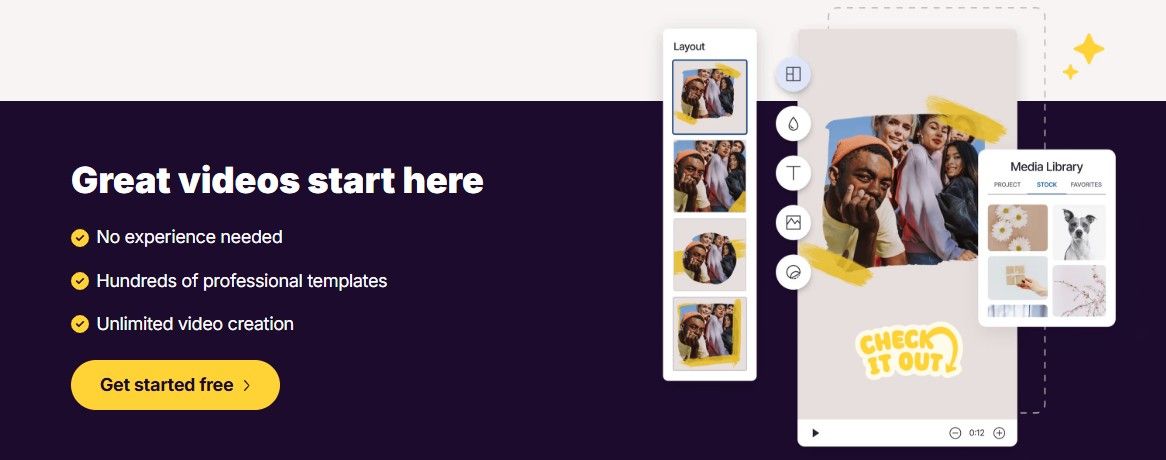
✅ Ready to Use Templates – Pick from an array of templates for social media posts, advertisements, slideshows and much more.

✅ Drag and Drop Interface – No additional skills are needed.

✅ Stock Library – Licensed music on every plan (50 tracks free, 3,000 on Professional), plus Getty Images stock photos and videos on Professional (1M+) and Professional Plus (100M+).

✅ Custom Brand Design – Add your logo and brand colours (Professional and above; Professional Plus saves up to 10 brands).

✅ Universal Sharing – Instantly post videos on YouTube, Facebook, Instagram.
Animoto Pricing: Is It Worth the Cost?

Animoto offers a free plan with limited features and three paid tiers:

PlanPrice (India, per month, billed annually)What you get
Free₹0Unlimited videos, 720p, Animoto watermark, 50 music tracks, 1 user
Basic₹2991080p, no watermark, unlimited downloads, 1 user
Professional₹5594K, logo and brand colours, 3,000 music tracks, 1M+ Getty Images stock, voice-over, 1 saved brand
Professional Plus₹1,4993 users, 100M+ Getty Images stock, 10 saved brands, team workspace, account manager, resale licence

Prices are from Animoto’s pricing page (India) in September 2026. Monthly billing costs more, since annual plans save up to 50%. Visitors in other countries see prices in their local currency, and Animoto offers discounts for non-profits and teachers.

No free trial is needed: the free plan is unlimited, so you can build and test videos before paying. Free exports are 720p and carry the Animoto watermark.

Animoto Review

Pros and Cons of Animoto

Pros

✔ easy to use – excellent for beginners with no editing skill set.

✔ Quick video creation – Videos in minutes.

✔ Fantastic Templates – Professional design for different industries.


Cons

❌ Limited advanced editing – Not ideal for complex video projects.
❌ Watermark on free plan – Removed only in paid versions.
❌ Limited customization – Fewer controls than Adobe Premiere Pro or Final Cut Pro.
❌ Best features cost more – 4K, branding, voice-over and Getty stock start at Professional, and the lowest prices need annual billing paid upfront.


Animoto Alternatives

If Animoto doesn’t meet your needs, consider these alternatives:

  1. Canva Video – Free & paid options, great for social media.
  2. InVideo – More templates & AI-powered editing.
  3. Adobe Express – Adobe’s quick design and video tool (formerly Adobe Spark), with a free plan.
  4. Biteable – Simple animations & marketing-focused templates.


Is Animoto Safe to Use?

Yes, Animoto is a secure and reputable platform used by millions. It follows GDPR compliance and encrypts user data. However, always check permissions when linking social accounts.

Animoto FAQs

1. Is Animoto really free?

Yes. The free plan lets you make unlimited videos, but exports are 720p and carry an Animoto watermark. Basic, the cheapest paid plan, removes the watermark and adds 1080p.

2. Can I use Animoto for YouTube?

Absolutely! Animoto supports YouTube-optimized formats and direct uploads.

3. What’s the best Animoto alternative?

For more features, try InVideo or Canva Video.

4. Does Animoto work on mobile?

Animoto runs in your web browser, so there is nothing to install. It is easiest to use on a desktop or laptop.

5. How much does Animoto cost?

There is a free plan. The paid plans are Basic, Professional and Professional Plus; in India they cost ₹299, ₹559 and ₹1,499 a month on annual billing (September 2026). Annual billing saves up to 50% compared with paying monthly.

 Final Verdict: Should You Use Animoto?

Animoto is an excellent choice for beginners, marketers, and small businesses needing quick, professional videos. However, if you need advanced editing, consider alternatives like Adobe Premiere Pro or InVideo.

⚠️ Affiliate Disclosure: This site contains affiliate links. We may earn a commission when you purchase through our links, at no extra cost to you. This never affects our ratings or recommendations. Read our full affiliate disclosure.