
PDF Expert Review 2026: Is It the Best PDF Editor for Mac?
PDF Expert by Readdle is a professional PDF editor specifically tailored for Apple users, featuring advanced editing capabilities, effortless annotation, and lightning-fast performance. A top option compared to Adobe Acrobat for Mac, iPhone, and iPad users looking for a lightweight yet effective PDF solution.
What is PDF Expert?
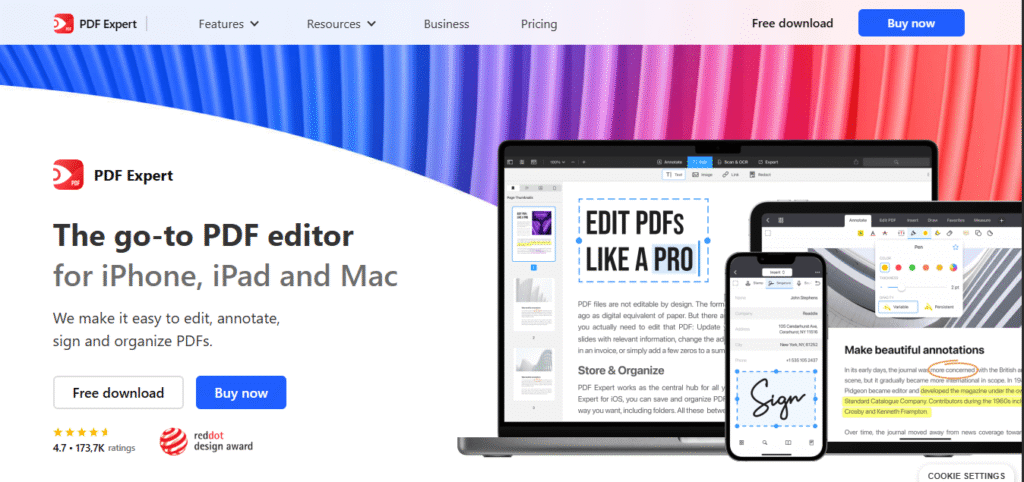
PDF Expert is a powerful PDF editor for iPhone, iPad & Mac: edit text, images & forms, annotate, sign, OCR, and convert files with a sleek, fast interface.
PDF Expert is a multipurpose editor of PDF files that lets you edit the text, images, and hyperlinks as you would do in a Word document. It permits digital signatures and form filling, thus useful for official paperwork. Besides, you can convert scanned PDFs back to editable Word, Excel, PowerPoint, and image files. The app features OCR (optical character recognition) although it may not be as reliable as Adobe Acrobat. To unlock PDF Expert after a purchase, you need to download it from Mac or iOS App Store and sign in with your Readdle account. For those seeking alternatives that do not come with a price tag, Xodo PDF with cross-platform access and Preview app on Mac offer basic functions of PDF editing.
PDF Expert Features
Key Features:
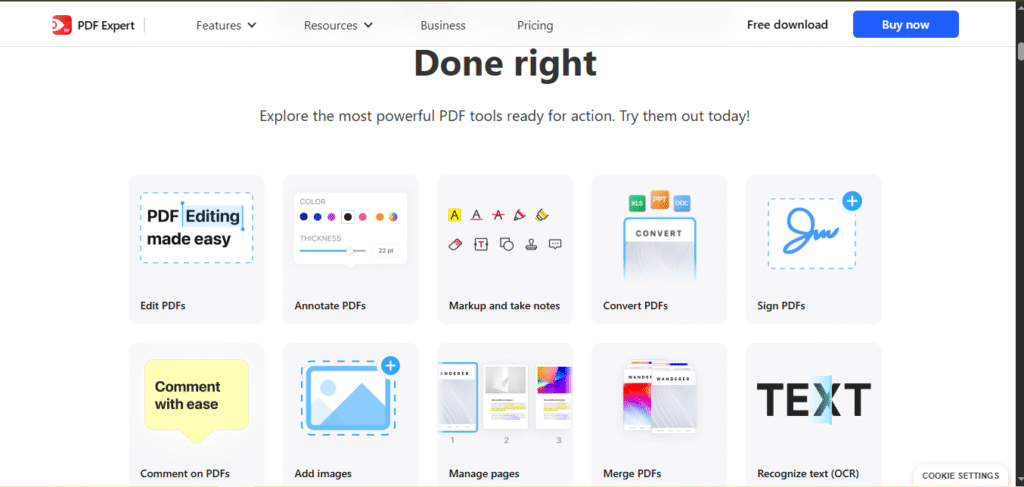
- Edit Text & Images: Edit text and images in a word-based format within the PDF so that it mirrors the ease of a Word document.
- Smart Annotations: Use mark up tools specially designed for highlighting, commenting, and note taking for collaborative work and reviews.
- Instant PDF Rendering: Smooth performance while opening large PDF files with no lag ensures instant access to files.
- eSign Documents: Sign documents and fill out required fields digitally in a few simple clicks.
- OCR Capability: Scanned or image-based PDFs containing text can be extracted making them searchable and editable.
- Cloud Integration: File access and synchronization is made simple through integration with iCloud, Dropbox, and Google Drive.
- Document Conversion: Editing and sharing of documents is made easier with the conversion of documents to PDF format, Word, Excel, among others.
PDF Expert Pros and Cons
Pros
- Built natively for Mac, iPhone and iPad
- Clean, intuitive interface designed specifically for Apple devices
- Less expensive than Adobe’s subscription model
- Great annotation features for co-authoring
- Smooth sync between Mac and iOS devices
Cons
- Only available on Apple ecosystem (no Windows/Android version)
- Fewer advanced features than Acrobat Pro
- OCR may not be as accurate for difficult documents
- No free version; the free trial is the only way to try it
PDF Expert Pricing Table
| Plan | Price | Billing | Platforms | Notes |
|---|---|---|---|---|
| Essential | $49.99 | Per year | iPhone, iPad, Mac | About $0.96 per week |
| Pro | $79.99 | Per year | iPhone, iPad, Mac | Marked as Best value |
| Lifetime | $139.99 | One-time payment | Mac only | New features may cost extra |
All plans include PDF Copilot AI, PDF translation, Word, Excel and PowerPoint conversion, OCR text recognition, document signing, annotation, and text, image and link editing, plus priority support and a 30-day money-back guarantee. Students and educators get a discount on annual plans with a verified school email.
Note: PDF Expert does not publicly specify what the Pro plan adds over Essential. Both tiers list identical features on the official pricing page. Prices checked September 2026.
Pricing Notes
- Best Deal: Yearly plan for cross-device use
- No free version after trial ends
- All plans include:
- PDF editing & annotation
- eSignatures
- Cloud sync (iCloud/Google Drive)
- OCR text recognition
Which PDF Expert Plan Should You Buy?
Readdle’s pricing page lists the same features for Essential ($49.99 a year) and Pro ($79.99 a year): both include PDF Copilot, OCR, conversion to Word, Excel and PowerPoint, signing and full editing on iPhone, iPad and Mac. Until Readdle spells out a difference, Essential is the sensible default. The Lifetime licence ($139.99, Mac only) pays for itself after about 2.8 years compared with Essential, or 1.75 years compared with Pro. It doesn’t cover iPhone or iPad, though, and major new features may cost extra. Every plan has a 30-day money-back guarantee.
PDF Expert vs Adobe Acrobat and Preview
| PDF Expert | Adobe Acrobat Pro | Preview (built into macOS) | |
|---|---|---|---|
| Price | $49.99–$79.99/yr, or $139.99 once (Mac only) | $19.99/mo on an annual plan ($239.88/yr prepaid) or $29.99 month to month | Free |
| Platforms | Mac, iPhone, iPad | Mac, Windows, mobile | Mac |
| Edit existing text | Yes | Yes | No |
| Annotate, sign, fill forms | Yes | Yes | Yes |
| AI assistant | PDF Copilot included | Included in Acrobat Studio ($24.99/mo annual) | No |
| Try before paying | Free trial + 30-day money-back | 7-day free trial | n/a |
Preview already handles a lot for free: highlighting and notes, filling forms, signing, and adding, removing, reordering and combining pages. What it can’t do is edit the existing text in a PDF. If you only annotate and sign, you may not need to pay for anything.
Adobe Acrobat Pro is the one to choose if you work across Windows and Mac, or need to match what a Windows-based office uses. On price, a year of PDF Expert Pro ($79.99) costs about a third of a year of Acrobat Pro ($239.88 prepaid).
PDF Expert FAQs
Is PDF Expert available for Android?
No – It’s exclusive to Apple ecosystems (Mac, iPhone, iPad).
Android alternative: Try Adobe Acrobat or Xodo PDF.
Is PDF Expert paid?
Yes. Essential is $49.99 a year and Pro $79.99 a year, both covering iPhone, iPad and Mac. Lifetime is a $139.99 one-time purchase for Mac only. Readdle doesn’t list a monthly plan.
Is PDF Expert safe?
Yes. It’s made by Readdle, distributed through the App Store, and edits documents locally on your device by default. See “Is PDF Expert Safe to Use?” below.
Is PDF Expert on PC (Windows)?
No – Windows not supported.
PC alternative: Adobe Acrobat or Foxit PDF Editor. Readdle says it has no plans for a Windows version.
How to activate PDF Expert?
- Download from the Mac App Store or iOS App Store.
- Launch the app and start the free trial. On Mac, the trial doesn’t need card details. On iPhone and iPad it runs through Apple and becomes a paid subscription after 7 days unless you cancel.
- To keep using it after the trial, choose a plan in the app.
Does PDF Expert have AI?
Yes. PDF Copilot, an AI assistant for asking questions about and working with your PDFs, is included in every paid plan.
Is PDF Expert Safe to Use?
PDF Expert is safe to use. It is developed by Readdle, an established software company that has published apps on the App Store since 2007, and the Mac App Store build is sandboxed and notarised by Apple. Documents are edited locally on your own device by default, so nothing leaves your Mac unless you deliberately use a cloud sync or sharing feature. The app asks for no unusual permissions beyond access to the files you open. The one real caution is where you get it: download from the Mac App Store or Readdle directly rather than a third-party bundle or crack site, because pirated builds of paid Mac software are a well-known malware route.
Is PDF Expert worth it?
PDF Expert is a great PDF editor made for Apple users—it works smoothly on Mac, iPhone, and iPad. It’s easy to use, fast, and lets you edit and highlight PDFs without any hassle. It includes OCR for scanned documents, and it handles everyday editing, annotation and signing well. If you’re an Apple user looking for a clean, powerful alternative to Adobe, PDF Expert is totally worth it.
Final Verdict
PDF Expert is the best PDF editor for Apple users, offering blazing-fast performance and intuitive editing, but lacks Android/Windows support. It’s perfect for quick edits and eSigning, though power users may need Adobe Acrobat for advanced features.
Related Reviews
More from Productivity & Business Software