

DocHub Review 2026: Is This Online PDF Editor and eSign Tool Worth It?
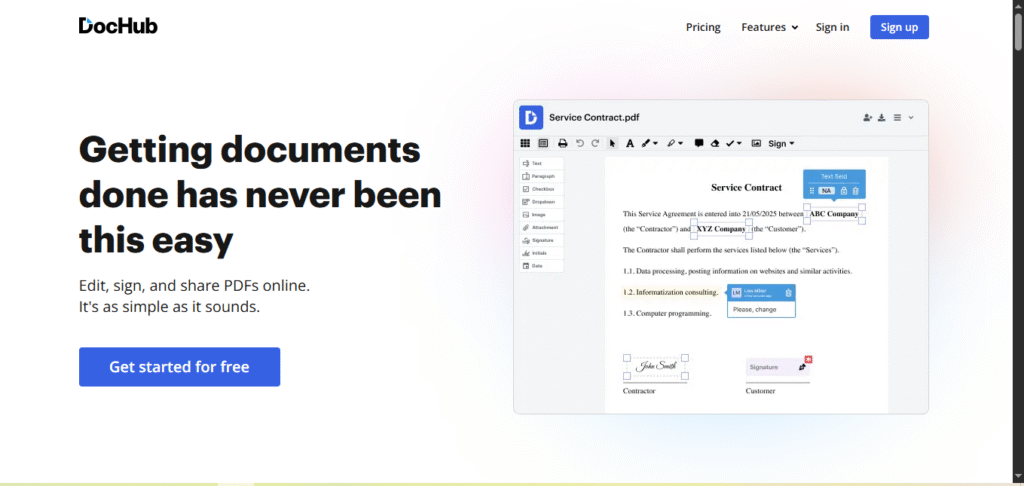
DocHub is a cloud-based PDF editor and eSigning tool that lets users edit, annotate, sign, and share documents online. With seamless Google Drive & Dropbox integration, it’s ideal for quick PDF modifications, form filling, and legally binding eSignatures—all without expensive software.
What is DocHub?
DocHub lets you edit PDFs and add eSignatures online. It’s free with paid plans, works with Google/Dropbox, and is great for quick document tasks.
Review of DocHub: Is It the Best?
DocHub is a reliable and user-friendly tool for editing, signing, and sharing PDFs online. It’s especially great for individuals, educators, and small businesses who need simple, quick document workflows.
Key Features of DocHub
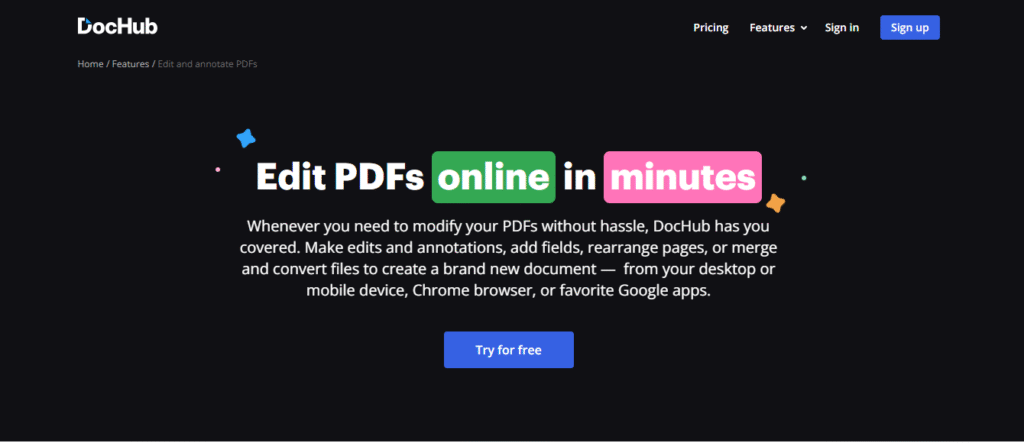
Edit PDFs (text, images, forms): Easily modify text, images, and update form fields within your PDF documents to bring them up to date or rectify errors.
eSign Documents: Sign documents electronically, adding a signature that is binding and valid for legal and business documentation.
Fill Out and Create Forms: Design bespoke interactive fields for PDF documents that can be filled out or create your own customizable forms from the ground up.
Annotate with Highlights, Stamps and Comments: Use stamps, comment boxes, and highlighters to provide feedback or review documentation, marking up as needed.
Integrations: Works with Google Drive, Gmail, Dropbox, OneDrive and Google Classroom on every plan, including Free.
Sharing and Collaboration: Comment and collaborate on documents. Free allows 2 collaborators; shared folders and public documents need Pro.
DocHub Pros and Cons
Pros
✔ User-Friendly Interface – Simple to use, even for new users.
✔ Free Plan Available – Essential features are available without charge.
✔ eSigning Capabilities – Compliant electronic signatures.
✔ Google Integration – Works inside Google Drive, Gmail and Google Classroom.
✔ No Software Installation – Works directly in a web browser.
Cons
✖ Limited Advanced Editing – Does not have advanced PDF editing tools such as Adobe Acrobat.
✖ Free Plan Limitations – 3 uses a month of the core tools, 3 folders, and no sending for signature.
✖ Offline Usage – Needs internet connectivity.
✖ Support – Limited support for free clients.
DocHub Pricing Plans (2026)
| Free | Basic | Pro | Site License | |
|---|---|---|---|---|
| Price | $0 | $8/mo | $12/mo per user | Custom |
| Core DocHub tools | 3 uses/mo, shared | 3 uses/mo, shared | Unlimited | Unlimited |
| Send for signature | No | No | Yes | Yes |
| Bulk send, sign in person, fax | No | No | Yes | Yes |
| Whiteout, highlight, attach files | No | Yes | Yes | Yes |
| Folders | 3 | Unlimited | Unlimited | Unlimited |
| Team members | None | 5 | Unlimited | Unlimited |
| Password protection | No | No | Yes | Yes |
| HIPAA with BAA | No | No | No | Yes |
- Free trial: 30-day Pro trial available.
- Annual billing: DocHub says you save 25%, which brings Pro to about $9 a month.
- Every plan, including Free, integrates with Google Drive, Gmail, Dropbox, OneDrive and Google Classroom. HIPAA (with a BAA) is only available on the Site License plan.
- DocHub shows prices in your local currency, so the figure at checkout may differ.
Is DocHub Free?
Yes, and the free plan doesn’t expire. But the limit is tight: the core tools share an allowance of 3 uses a month, and you get 3 folders and up to 2 collaborators. That’s fine for signing the odd form someone has sent you. It isn’t enough for regular work.
Basic ($8/month) mainly adds editing tools (whiteout, highlight and file attachments), unlimited folders and up to 5 team members. It keeps the same 3-uses-a-month limit and still can’t send documents for others to sign.
So for most people the real choice is Free or Pro. If you need to send contracts or forms for signature, or use DocHub more than a few times a month, you need Pro ($12/month, or about $9 billed yearly). Try it with the 30-day trial before paying.
DocHub vs Adobe Acrobat Pro and DocuSign
| DocHub Pro | Adobe Acrobat Pro | DocuSign Personal | |
|---|---|---|---|
| Price | $12/mo, 25% less yearly | $19.99/mo on an annual plan | $11/mo billed annually ($132/yr) |
| What it’s for | Editing and signing PDFs in the browser | Full desktop PDF editing | Sending documents for signature |
| Edit existing PDF text | Yes | Yes | No |
| Send for signature | Unlimited | Yes | 5 envelopes/mo |
| Works in | Browser, Google Workspace | Windows, Mac, mobile, browser | Browser, mobile |
| Free plan | Yes (3 uses/mo) | No (7-day trial) | No |
DocuSign is the specialist for signatures, and its entry plan caps you at 5 envelopes a month. Its Standard plan ($30 per user a month, billed annually) is where teams usually land. If you mainly send documents for signature and also edit PDFs now and then, DocHub Pro does both for less.
Adobe Acrobat Pro is the stronger editor and works offline on Windows and Mac. It costs more, and it’s more than you need for filling and signing forms.
If you’re on a Mac and want an app that works offline, see our PDF Expert review.
DocHub FAQs
Is DocHub truly free?
Yes. The free plan has no time limit, but the core tools share a limit of 3 uses a month, you get 3 folders, and sending documents for others to sign needs Pro ($12 a month, or about $9 billed yearly). See “Is DocHub Free?” above.
Is DocHub safe to use?
Yes. DocHub says it’s audited annually for SOC 2 Type II, complies with GDPR and PCI DSS, and encrypts documents with 256-bit encryption in transit and at rest. Its eSignatures are legally binding in the US under the ESIGN Act. See “Is DocHub Safe to Use?” below.
What is the purpose of using DocHub?
DocHub is mainly utilized for:
PDF editing (text, images, annotations).
eSigning documents (legally binding signatures).
Development of fillable forms and reusable templates.
Team collaboration via Google Workspace/Dropbox.
Is DocHub owned by Google?
No. DocHub was founded by Chris Devor and has been owned by airSlate, a document automation company, since July 2022.
Is DocHub free with Google?
Yes. DocHub integrates for free with Google Drive, Gmail, and Google Workspace so users can edit/sign PDFs natively within these apps. The free plan integrates with Google, but Pro gives access to more features.
How can I sign and make edits to PDFs in DocHub? Can I use it offline?
DocHub makes signing and editing PDFs easy. For signing a document, upload your PDF, click the “Sign” tool on the toolbar, and either draw, type, or upload your signature. Move it to the right place and click save. To edit text, use the “Text” tool to add or delete content. DocHub advertises OCR (Optical Character Recognition) for scanned PDFs, but its plan comparison doesn’t list it, so check it works for you during the Pro trial.
Since DocHub is cloud based, you need the internet to access and make changes to documents. It does not have offline capabilities, meaning that you need the internet to open, edit, and save documents. You can download documents to view them offline, though.
To make things even better, DocHub integrates with Google Drive, Dropbox, and OneDrive which makes accessing and saving files smoother. Your documents are protected with 256-bit encryption in transit and at rest.
Is DocHub Safe to Use?
Yes, DocHub is a legitimate, widely used service. It was founded by Chris Devor and is owned by airSlate, which bought it in July 2022. At that point airSlate said DocHub had more than 80 million users. On security, DocHub says that:
- it undergoes a SOC 2 Type II audit every year
- it complies with GDPR and PCI DSS
- documents are encrypted with 256-bit encryption, in transit and at rest, on Amazon Web Services data centres
- it keeps an audit trail of every action on a document, including the email address, IP address and browser of whoever took it
- it regularly goes through Google’s security assessment, which matters because many people use it inside Google Drive
When you connect DocHub to Google, you approve its access on Google’s own consent screen. You can review or revoke that access at any time from your Google account’s permissions page.
One caveat for healthcare use: DocHub offers HIPAA compliance with a business associate agreement (BAA) only on its Site License plan. If you handle patient records, Free, Basic and Pro aren’t enough.
Final Verdict: Is DocHub Worth It?
DocHub is a simple, secure, and affordable tool for editing and signing PDFs, making it ideal for individuals and small teams with basic document needs. While it’s not the most powerful solution on the market, it offers great value and ease of use for everyday tasks.
Related Reviews
More from Productivity & Business Software