
Animoto Video Maker Main Features
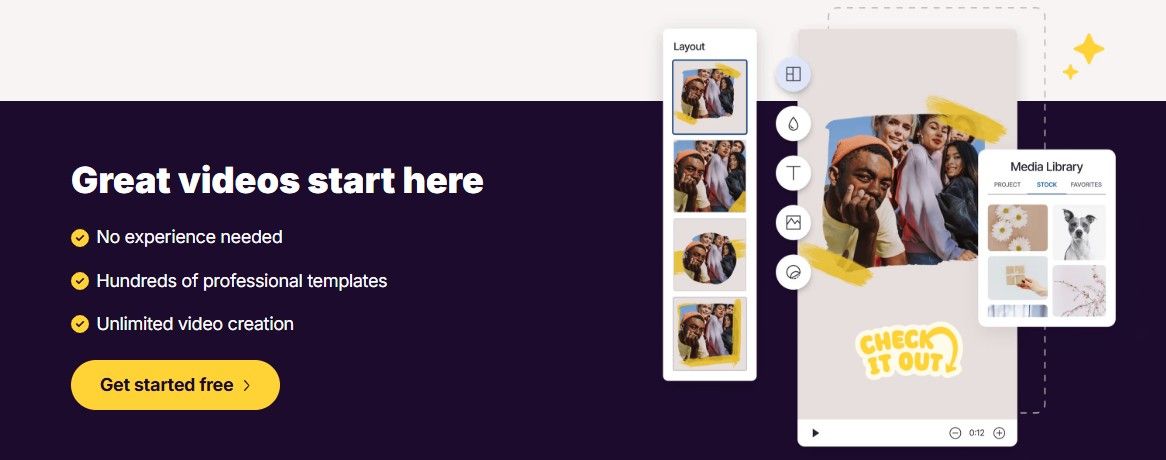
 Ready to Use Templates – Pick from an array of templates for social media posts, advertisements, slideshows and much more.
Drag and Drop Interface – No additional skills are needed.
Stock Library – Licensed music on every plan (50 tracks free, 3,000 on Professional), plus Getty Images stock photos and videos on Professional (1M+) and Professional Plus (100M+).
Custom Brand Design – Add your logo and brand colours (Professional and above; Professional Plus saves up to 10 brands).
Universal Sharing – Instantly post videos on YouTube, Facebook, Instagram.
Pros and Cons of Animoto
Pros
 easy to use – excellent for beginners with no editing skill set.
Quick video creation – Videos in minutes.
Fantastic Templates – Professional design for different industries.
Cons
 Limited advanced editing – Not ideal for complex video projects. Watermark on free plan – Removed only in paid versions. Limited customization – Fewer controls than Adobe Premiere Pro or Final Cut Pro.
❌ Best features cost more – 4K, branding, voice-over and Getty stock start at Professional, and the lowest prices need annual billing paid upfront.
Animoto Alternatives
If Animoto doesn’t meet your needs, consider these alternatives:
- Canva Video – Free & paid options, great for social media.
- InVideo – More templates & AI-powered editing.
- Adobe Express – Adobe’s quick design and video tool (formerly Adobe Spark), with a free plan.
- Biteable – Simple animations & marketing-focused templates.
Is Animoto Safe to Use?
Yes, Animoto is a secure and reputable platform used by millions. It follows GDPR compliance and encrypts user data. However, always check permissions when linking social accounts.