ProtonMail Review

Introduction to ProtonMail

ProtonMail is a privacy-focused email service known for its end-to-end encryption and strong security features. Founded in 2013 by scientists from CERN, ProtonMail is based in Switzerland, which has strict privacy laws. Unlike Gmail, ProtonMail does not track users or scan emails for ads.

But is ProtonMail really better than Gmail? Should you switch? This detailed ProtonMail review covers features, pros & cons, security, pricing, and a step-by-step sign-up guide.

What is Atlas VPN?

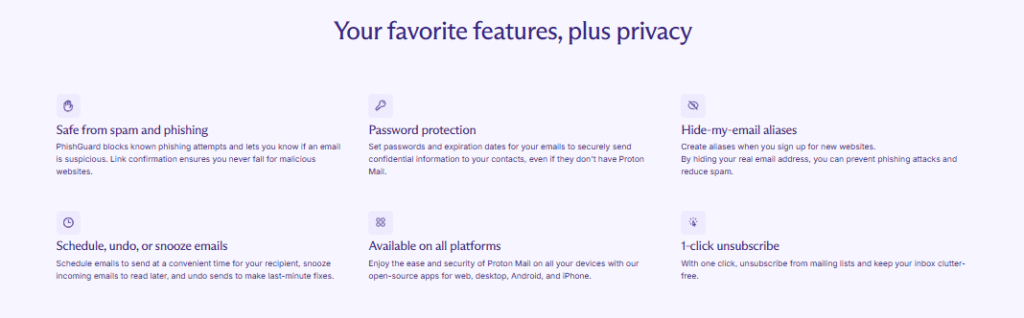
Key Features of ProtonMail

Feature

Details

End-to-End Encryption

Emails are encrypted so only sender & receiver can read them.

Zero-Access Encryption

Even ProtonMail can’t read your emails.

Swiss Privacy Laws

Strong data protection under Swiss jurisdiction.

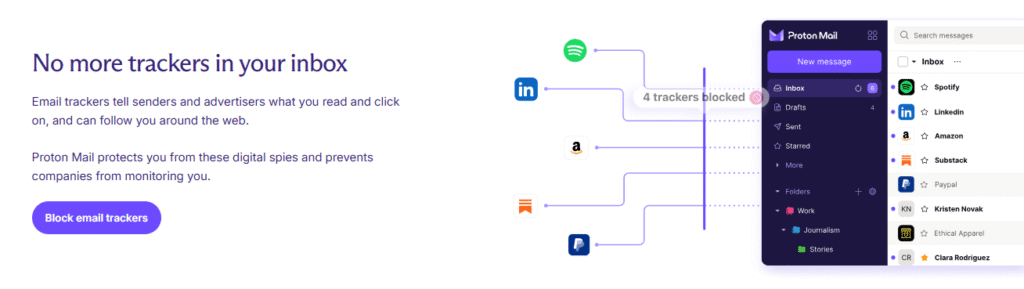
No Ads or Tracking

Unlike Gmail, ProtonMail doesn’t scan emails for ads.

Self-Destructing Emails

Send emails that automatically delete after a set time.

Open-Source

Code is auditable for transparency.

IMAP/SMTP Support (Paid Plans)

Use third-party email clients like Outlook or Thunderbird.

Atlas VPN Features

ProtonMail vs Gmail: Which Is Better?

Factor

ProtonMail

Gmail

Privacy

✅ End-to-end encrypted

❌ Scans emails for ads

Security

✅ Zero-access encryption

❌ Vulnerable to hacking

Storage (Free Plan)

500MB

15GB

Custom Domain

✅ (Paid plans)

✅ (Paid plans)

User-Friendly

⚠️ Steeper learning curve

✅ Very easy to use

Price

Free + Paid plans

Free + Paid (Google Workspace)

Is Atlas VPN secure?

Who Should Use ProtonMail?

✔ Privacy-conscious users
✔ Journalists & activists
✔ Businesses needing secure email

Who Should Stick to Gmail?

✔ Users who need more storage
✔ Those who prefer Google integrations (Docs, Drive, etc.)
Speed – How Fast is Atlas VPN?

Pros & Cons of ProtonMail

✅ Pros

✔ Strong encryption (emails stay private)
✔ No ads or tracking (unlike Gmail)
✔ Self-destructing emails for extra security
✔ Open-source & audited for transparency
✔ Swiss-based (strong privacy laws)

❌ Cons

❌ Limited free storage (500MB)
❌ No IMAP/SMTP in free plan
❌ Slower search functionality than Gmail
❌ Fewer integrations (No built-in calendar in free plan)


Is ProtonMail Safe?

Yes, ProtonMail is one of the safest email providers because:

  • Uses end-to-end encryption
  • Zero-access encryption means even ProtonMail can’t read your emails
  • Based in Switzerland, outside US/EU surveillance alliances
  • No IP logging (unless legally required)

However, no service is 100% hack-proof. If you forget your password, you can’t recover emails due to encryption.

How to Create a ProtonMail Account (Step-by-Step Guide)

ProtonMail Sign Up Process

  1. Go to ProtonMail’s official website
  2. Click “Sign Up” (Free or Paid plan)
  3. Choose a username (e.g., yourname@protonmail.com)
  4. Create a strong password (you can’t recover it if lost!)
  5. Verify via email or SMS (optional for extra security)
  6. Complete setup and log in

📌 Tip: Use a password manager to store your ProtonMail password securely.
 

ProtonMail Pricing: Free vs Paid Plans

Plan

Price

Storage

Features

Free

$0

500MB

Basic encryption, 150 messages/day

Mail Plus

$4.99/month

15GB

Custom domains, IMAP support

Business

$6.99/user/month

15GB/user

Priority support, multi-user management

💡 Best Value: Mail Plus is great for individuals needing extra storage & features.

People Also Ask (PAA) – FAQs

1. Is ProtonMail better than Gmail?

Yes, for privacy & security, but Gmail is better for storage & integrations.

2. Can I use ProtonMail for free forever?

Yes, but with 500MB storage and limited features.

3. Does ProtonMail work with Outlook or Apple Mail?

Only in paid plans (IMAP/SMTP support).

4. Can ProtonMail be hacked?

Unlikely due to encryption, but phishing attacks are possible.

5. How do I recover a lost ProtonMail password?

You can’t—emails are encrypted, so always store passwords securely.

Final Verdict: Should You Switch to ProtonMail?

👍 Choose ProtonMail if:

  • You prioritize privacy & security
  • You want an ad-free email experience
  • You need self-destructing emails

👎 Stick with Gmail if:

  • You need more free storage
  • You rely on Google Workspace tools

You prefer better search & integrations