

CapCut Review 2026
CapCut is a free, feature-rich video editor developed by ByteDance, the creators of TikTok. It supports 4K exports, advanced AI tools like auto-captions and background removal, and offers thousands of trendy templates. With full compatibility across mobile, desktop, and web, it’s ideal for content creators, vloggers, and social media users. Best of all, CapCut delivers professional-quality videos without watermarks, making it a top choice among free editors. For paid alternatives, browse the full video and motion graphics category.
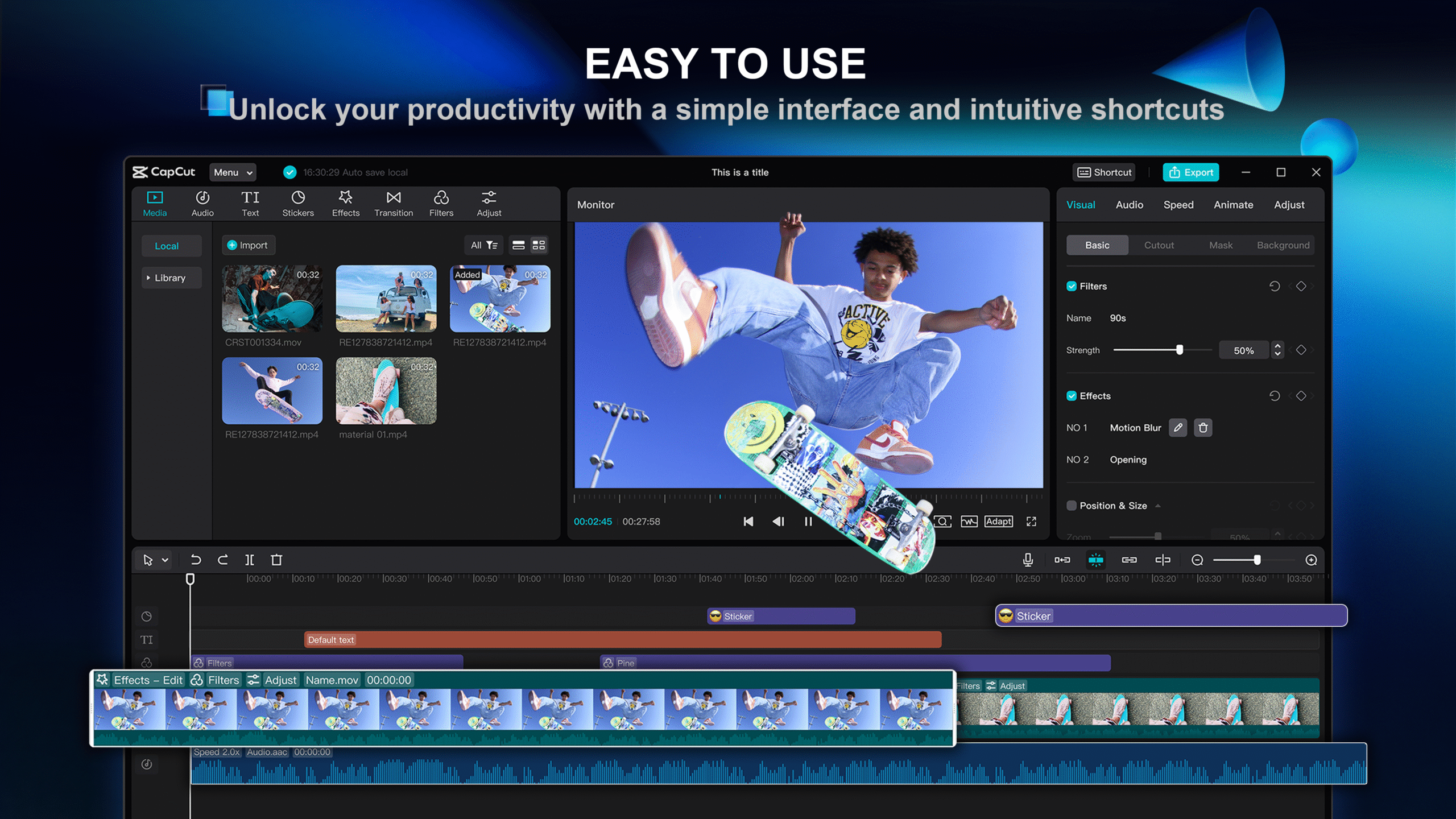
What is CapCut?
CapCut is a robust, easy-to-use video editor by ByteDance (TikTok’s creators). It is designed for content creators, social media users, and beginners alike, providing 4K editing, AI features, and hundreds of trending templates for free without any watermark
Key Features
✅ 4K Video Export – Zero quality loss
✅ AI-Powered Tools – Auto-captions, background remover, beat sync
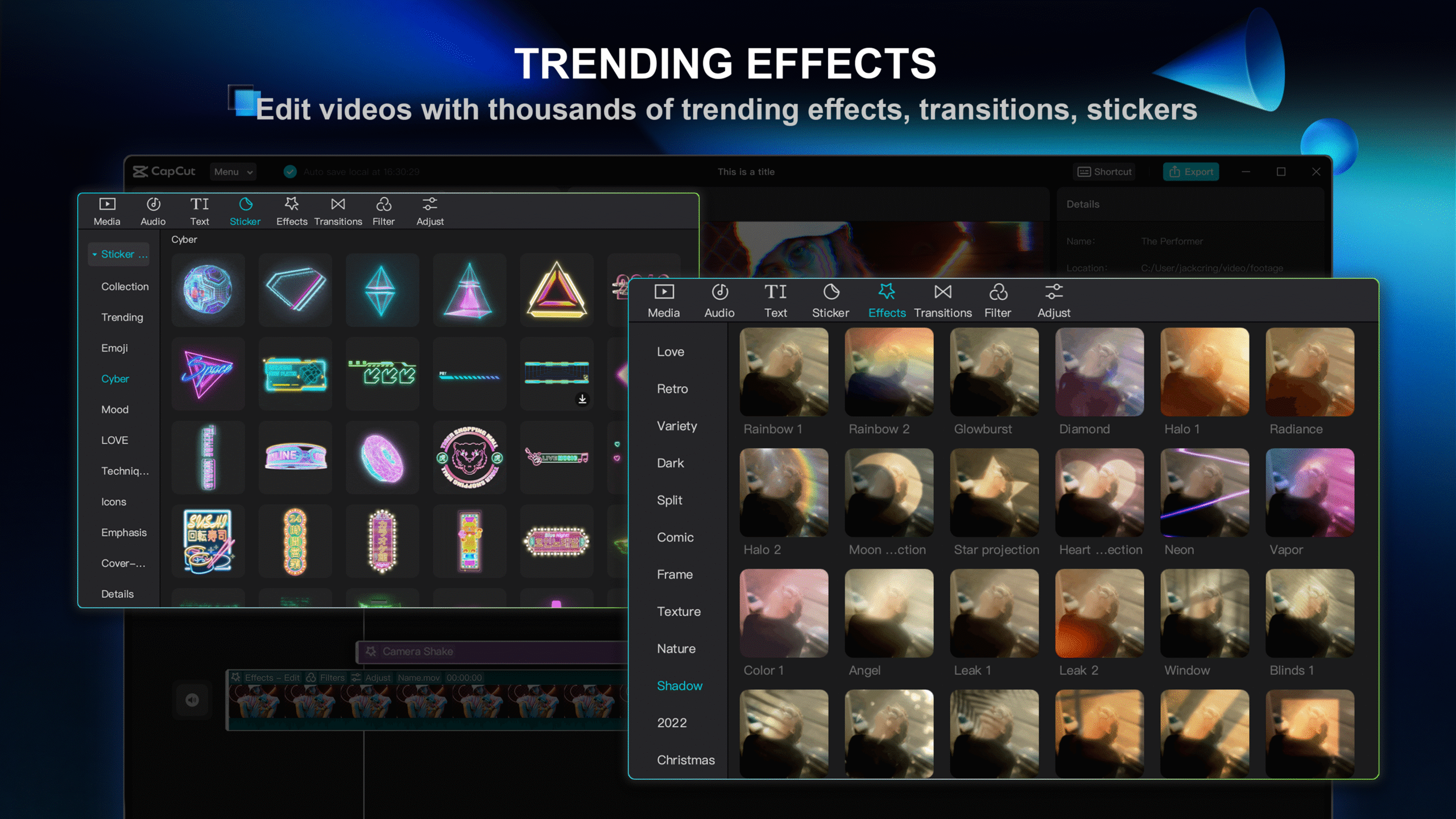
✅ 1000+ Templates – TikTok/Reels/YouTube Shorts trends
✅ Multi-Track Editing (PC version)
✅ Chroma Key (Green Screen)
✅ No Watermark – Unlike most free editors
✅ Cross-Platform – Sync projects between mobile, PC, and web
Pricing Table (Free vs. Pro)
| Feature | Free Version | CapCut Pro ($19.99 per month) |
|---|---|---|
| Watermark? | No | No |
| Templates | 1,000+ | 2,000+ (Premium-only) |
| Effects and Fonts | Basic | Exclusive Packs |
| AI Tools | Limited | Full Access |
| Commercial License | No | Yes |
CapCut Pro costs $19.99 per month or $179.99 per year. Prices checked on capcut.com in September 2026; they vary by region, platform and promotions.
Pros
- Free to use – core editing costs nothing (free users get limited access to premium templates, effects and some AI tools)
- User-Friendly – Great for beginners
- TikTok Integration – Easy sharing
- Regular Updates – New effects & features
Cons
- Internet Required for some AI tools
- PC Version Still in Beta (Not as stable as mobile)
- No Linux Support
- Limited Advanced Features (vs. Premiere Pro/DaVinci Resolve)
Why CapCut Stands Out
CapCut stands out as one of the best free video editors for content creators, social media marketers, and casual users alike. With its intuitive interface, AI-powered tools, and no-watermark exports, it delivers professional-quality editing without the complexity—or cost—of premium software.
Who Should Use it?
- TikTok/Reel Creators – Perfect for trending templates and quick edits.
- Beginners – Easy to learn with drag-and-drop features.
- Budget-Conscious Editors – Free version covers most needs.
Limitations to Consider
- Not for Hollywood-Level Projects (Use Premiere Pro/DaVinci Resolve for advanced needs).
- Internet Required for some AI features.
CapCut FAQs
Is CapCut actually free?
Yes, the core editor is free with no forced subscription. Free users get limited access to premium templates, effects, fonts and music, and some advanced AI tools (such as motion tracking and the auto caption generator) are exclusive to CapCut Pro.
Can I run CapCut on PC?
Yes! Download the Windows/Mac beta from CapCut’s official website.
Does CapCut export with a watermark?
No! Unlike some editors that are free, CapCut exports without watermarks.
Is CapCut safe to use?
Yes, but download only from official sources (Google Play, App Store, or CapCut.com).
How does CapCut differ from CapCut Pro?
Free: Core editing tools with limited access to premium templates, effects and AI features.
Pro: Additional templates, effects, and commercial use rights.
Can I edit videos with CapCut on the web?
Yes! You can use CapCut Web Editor (fewer features).
Does CapCut work offline?
Sort of. Basic editing is done offline, but AI features need internet.
Is CapCut suitable for YouTube/TikTok?
Just perfect! It includes trending templates, auto-captions, and direct sharing.
Is CapCut Safe to Use?
CapCut is a legitimate app published by ByteDance and distributed through the Apple App Store, Google Play and its own browser editor, so the download itself is not a malware risk. The concerns people raise are about privacy rather than security: like other ByteDance products it collects usage and device data, and several governments and employers restrict ByteDance-owned apps on work-issued devices. If you edit client footage or anything confidential, check your organisation’s policy before installing it and review the permissions the app asks for. For personal editing on your own device, it is as safe as any mainstream free editor.
Final Verdict: Is CapCut Worth It?
CapCut is a game-changer for mobile and PC video editing, offering professional tools for free. Its AI-powered features (auto-captions, background removal) and trending templates make editing effortless, while 4K exports without watermarks set it apart from competitors.
Related Reviews
More from Video & Motion Graphics